
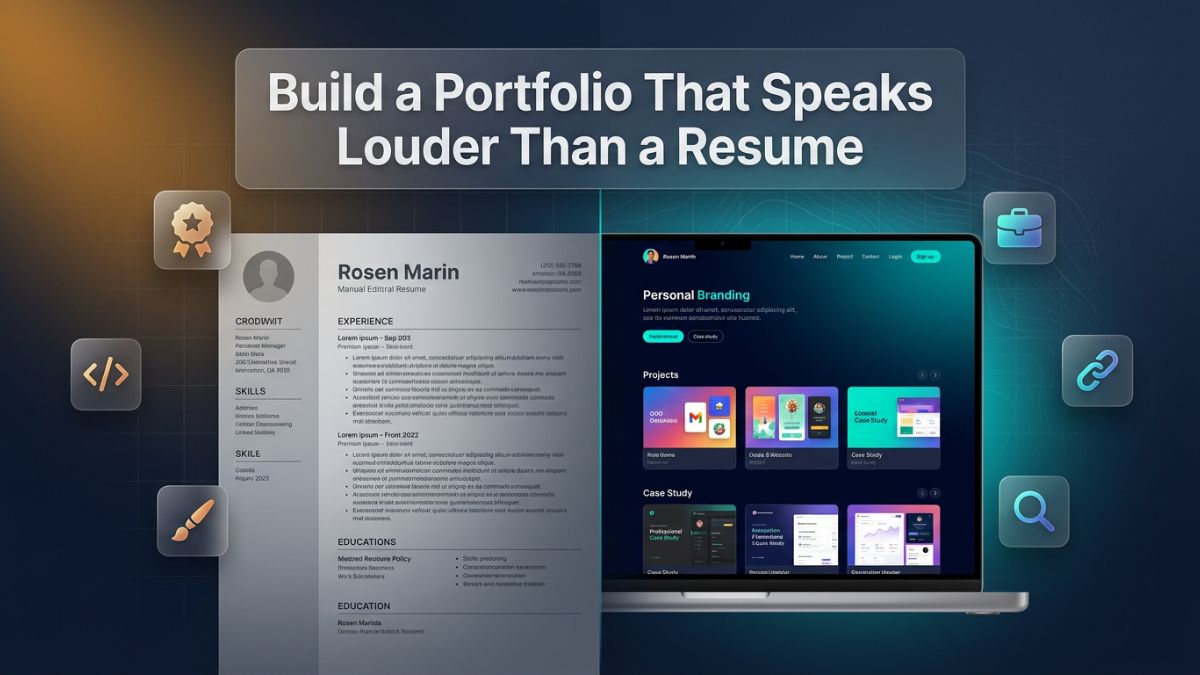
A resume is a list. A portfolio is proof. While a resume tells a hiring manager or a potential client what you claim to be capable of, a portfolio actually demonstrates it. That fundamental difference is what makes a portfolio that speaks louder than a resume such a powerful career asset in an era where every job opening attracts hundreds of applicants, and every freelance pitch competes with dozens of others.
The job market in 2026 is not the same as it was five years ago. Employers are more skeptical, clients are more discerning, and remote work has opened the doors to global competition. A well-crafted two-page resume may still get you past an automated screening tool, but it rarely seals the deal on its own anymore. What gets you hired — what actually converts a recruiter's attention into an interview, or a client's interest into a contract — is your ability to show tangible, real work.
This article walks you through everything you need to build a portfolio that genuinely represents your skills, your personality, and your professional value. Whether you are a student with no prior work experience, a mid-level professional looking to pivot, a designer seeking high-paying clients, or a developer applying for remote tech jobs, this guide has something concrete and actionable for you.
Why a Portfolio Outperforms a Resume in Every Key Situation
The debate around portfolio vs resume which is better 2026 is not particularly close when you examine the evidence. Recruiters spend an average of six to seven seconds scanning a resume before deciding whether to read further. That is an extraordinarily short window. A portfolio, by contrast, invites engagement. A visitor who lands on your portfolio website and starts clicking through your projects, reading your case studies, and exploring your work samples is already investing attention — and that attention translates directly into trust.
The portfolio vs cv differences go deeper than format. A CV is a historical document. It records where you studied, where you worked, and what titles you held. A portfolio is a living document. It shows what you built, what problems you solved, and how you think. A portfolio allows you to demonstrate judgment, creativity, communication, and execution — none of which a resume can convey in any meaningful way.
There are specific situations where a portfolio is not just helpful but essential. For creative professionals in design, photography, writing, or video production, no serious client or employer will hire without seeing the work. For developers and engineers, code repositories and deployed applications carry far more weight than a list of programming languages on a resume. For digital marketers, showing campaign results and traffic growth with actual data is infinitely more persuasive than listing software tools you have used. In all of these cases, portfolio vs resume examples consistently show that the candidates and freelancers who invest in strong portfolios win more opportunities.
Moreover, a portfolio works for you around the clock. While you sleep, your portfolio website is accessible to recruiters in different time zones, clients browsing for freelancers, and collaborators looking for partners. A resume, by contrast, only works when someone actively shares it. A portfolio compounds your professional presence passively and continuously.
Portfolio vs Resume: Core Differences You Should Know
Before building, it helps to understand exactly what separates these two documents — not just conceptually, but structurally and functionally. The following table lays out the key differences clearly.
| Feature | Resume / CV | Portfolio |
|---|---|---|
| Primary purpose | Lists qualifications and history | Demonstrates actual work and skills |
| Format | Text-based document (1–3 pages) | Website, PDF, or interactive presentation |
| Content type | Job titles, education, skills | Projects, case studies, samples, outcomes |
| Updated frequency | Occasionally, per application | Continuously as new work is completed |
| Engagement level | Passive reading | Active exploration |
| Personalization | Minimal | High — reflects brand and personality |
| Shareability | Email attachment or LinkedIn upload | Shareable link, SEO-discoverable |
| Recruiter impact | Standard expectation | Strong differentiator |
| Works 24/7 | No | Yes |
| Shows thought process | Rarely | Yes, through case studies and explanations |
This table makes the case clearly. A resume satisfies a baseline requirement. A portfolio creates a competitive advantage. Understanding this distinction helps you prioritize your time and energy correctly when building your professional presence.
Who Needs a Portfolio and Who Benefits Most
Almost every professional benefits from having a portfolio, but certain roles and career stages gain the most from it. Understanding where you fall helps you tailor your approach.
Students and freshers are among the biggest beneficiaries. An online portfolio for students and freshers solves one of the most frustrating job-seeking problems: the experience paradox, where you cannot get a job without experience but cannot get experience without a job. A portfolio lets you bypass that paradox by showcasing academic projects, personal experiments, volunteer work, and self-initiated builds that demonstrate real competence even without paid work history.
Freelancers operate in a trust economy. Every time a potential client considers hiring you, they are making a financial decision based entirely on perceived reliability and capability. A strong digital portfolio for freelancers 2026 acts as a permanent sales pitch that answers the client's core question before they even have to ask it: "Can this person actually do the work?" Your portfolio should answer with an unequivocal yes, backed by tangible evidence.
Career switchers need portfolios even more urgently than anyone else. If you are pivoting from one industry to another, your resume creates a narrative problem — your previous work history looks irrelevant. A portfolio lets you tell a new story by showcasing projects you have completed in your target field, whether those were passion projects, freelance gigs, online course assignments, or contributions to open-source work.
Remote job seekers face intense global competition. A portfolio for remote jobs 2026 signals to employers that you are serious, self-directed, and capable of working autonomously — qualities that matter enormously in distributed teams. A well-structured portfolio communicates professionalism without requiring an in-person meeting, which is often the only chance a remote applicant gets to make an impression.
How to Build a Strong Portfolio Without Experience
This is the question most beginners struggle with, and it has a straightforward answer: create the experience yourself. How to build a strong portfolio without experience is not about faking work or padding a profile — it is about being intentional and strategic about the projects you build and the way you present them.
Start by identifying the type of work your target employers or clients are looking for. If you want a job as a UX designer, look at the job descriptions for roles you admire. Note the skills they ask for, the tools they require, and the types of projects they mention. Then build projects that directly mirror those requirements. This approach ensures that your portfolio speaks the exact language of the people who will be reviewing it.
Portfolio projects for beginners 2026 do not need to be commissioned by a real client to be convincing. A concept redesign of a popular app, a self-initiated branding project for a fictional company, a website built for a local nonprofit, or a data dashboard created from public datasets — all of these demonstrate real skill. What matters is not who paid for the work but whether the work is good and whether you can talk about it intelligently.
Volunteer work is a powerful and underused strategy. Reach out to nonprofit organizations, local businesses, or community groups and offer your skills for free or at a reduced rate. The experience you gain is real, the client relationship is real, and the result — a completed project you can proudly showcase — is indistinguishable from paid work in a portfolio context.
Contribute to open-source projects if you are a developer. Contributing to existing repositories on platforms like GitHub gives you both practical experience and a visible, verifiable track record. Potential employers in the tech space routinely check GitHub profiles, and a history of meaningful contributions tells a compelling story about your habits, your technical skills, and your collaborative ability.
Take structured courses with project-based outcomes. Many online learning platforms conclude courses with capstone projects or real-world assignments. These projects, when well-documented and presented, are entirely appropriate portfolio entries. The key is to present them with the same professionalism and context you would give any other work — explain the problem, your process, and the outcome.
Choosing the Right Type of Portfolio for Your Field
Not all portfolios are created equal, and not all fields benefit from the same format. Matching your portfolio type to your discipline is a crucial step that many people overlook.
Graphic Design Portfolios
Graphic design portfolio ideas 2026 center on visual impact. Your portfolio is itself a design project, and how it looks is as important as what it contains. Prioritize high-quality images, clean layouts, and consistent visual branding. Show a range of work — branding, typography, illustration, print, digital — but also make sure each piece has context. Showing a logo without explaining the client's brief, the design decisions you made, and the problem you were solving leaves your viewer with no framework for evaluating your thinking.
Developer and Tech Portfolios
Developer portfolio best practices 2026 emphasize function alongside form. Your portfolio should load fast, be mobile-responsive, and ideally have a GitHub link that shows your commit history. For a portfolio for tech jobs entry level, include three to five projects that demonstrate breadth — perhaps one full-stack web app, one API integration, one algorithm or data structure project, and one contribution to a real tool or library. Each project should have a live demo link where possible and a brief explanation of the technical decisions you made.
UX/UI Portfolios
UX UI portfolio case study examples are the gold standard for this field. Recruiters hiring UX designers do not just want to see polished interfaces — they want to understand your thinking. How did you identify the user problem? What research methods did you use? How did you iterate on your designs based on feedback? Each case study in a UX portfolio should walk the reader through your design process from discovery to delivery, with real artifacts: user research notes, wireframes, prototypes, usability test results, and final mockups.
Digital Marketing Portfolios
A portfolio for digital marketing jobs should be results-driven. Show campaigns you ran, the strategies you used, and the measurable outcomes you achieved. Traffic reports, conversion rate improvements, email open rates, and return on ad spend are all concrete and persuasive. Seo portfolio case study examples are especially compelling if you can show keyword rankings that improved, organic traffic that grew, and a clear methodology behind the results. If you are early in your career, run a small test campaign for a personal project or blog and document the results.
Writing and Content Portfolios
If your work is words, your portfolio is your best writing. Create a simple, well-organized website that showcases your published articles, blog posts, white papers, email campaigns, or copywriting samples. Organize them by category or industry. Include a short note with each piece that explains the context — the audience, the goal, and the outcome. Being able to say "this article drove 12,000 unique visitors in its first week" or "this email sequence achieved a 42% open rate" transforms a writing sample into proof of impact.
Picking the Right Platform for Your Portfolio Website
The platform you choose for your portfolio affects how it looks, how it performs in search engines, and how easily you can maintain and update it. The following table compares popular portfolio building platforms across the dimensions that matter most.
| Platform | Best For | Ease of Use | SEO Control | Cost | Custom Domain | Code Required |
|---|---|---|---|---|---|---|
| WordPress | Writers, developers, marketers | Moderate | Excellent | Free (hosting extra) | Yes | Optional |
| Webflow | Designers, developers | Moderate | Very good | From $14/month | Yes | No |
| Squarespace | Creatives, photographers | Very easy | Good | From $16/month | Yes | No |
| Wix | Beginners, all fields | Very easy | Moderate | Free / From $17/month | Yes | No |
| Framer | Designers, modern portfolios | Moderate | Good | Free / From $5/month | Yes | No |
| GitHub Pages | Developers | Technical | Moderate | Free | Yes | Yes |
| Behance | Graphic designers, creatives | Easy | Limited | Free | No | No |
| Notion | Students, writers, beginners | Very easy | Limited | Free | With workarounds | No |
Choosing the right platform depends on your skill level, your budget, and how much control you want over the final result. If you are a developer, hosting your own WordPress or building with GitHub Pages gives you maximum flexibility. If you are a designer who wants a visually stunning result quickly, Webflow or Framer are excellent choices. If you are a beginner who just needs to get something professional up and running, Squarespace or Wix will serve you well.
Personal Portfolio Website Ideas for 2026
The way portfolios are designed and structured is evolving. Personal portfolio website ideas 2026 reflect broader shifts in how professionals position themselves online, how search engines index content, and how visitors consume information.
One strong trend is the integration of a personal blog or content section within the portfolio. Rather than simply showing your work, you also demonstrate your knowledge by writing about your field. A developer who writes technical articles, a designer who publishes thoughts on design systems, or a marketer who shares campaign breakdowns — all of these professionals communicate expertise in a way that static project galleries cannot.
Another emerging approach is the interactive case study format. Instead of presenting work as a simple before-and-after, forward-thinking professionals are building narrative-driven project pages that function almost like editorial features. These pages include embedded prototypes, scrolling animations, annotated screenshots, and multi-stage process documentation. This format is especially effective for UX UI portfolio case study examples and developer portfolio best practices 2026.
The personal brand angle is also becoming more central. Portfolio branding personal brand 2026 is about more than a logo and a color scheme — it is about projecting a consistent professional identity across your portfolio website, your LinkedIn profile, your GitHub, and any other platform where you have a presence. Your writing tone, your visual choices, your project selection, and even how you describe yourself in your bio all contribute to this identity.
Video introductions are gaining traction as a way to humanize a portfolio. A short, professional one-to-two-minute video where you introduce yourself, walk through your work, and explain what you are looking for adds a layer of personality that static pages simply cannot replicate. For remote professionals, this is particularly valuable because it substitutes for the in-person impression you would otherwise create in a meeting.
Portfolio Storytelling Techniques That Actually Work
Technical skills get you in the door. Storytelling gets you hired. Portfolio storytelling techniques are what transform a collection of finished projects into a compelling narrative about who you are as a professional.
Every project in your portfolio should follow a basic story structure: the situation, the problem, your approach, and the outcome. This structure — sometimes called the STAR format (Situation, Task, Action, Result) — forces you to move beyond "here is what I made" and toward "here is what I solved and why it mattered." Recruiters and clients respond to problem-solving narratives because they are trying to assess whether you can handle their problems.
Be specific about the challenges you faced. Generic language like "improved user experience" or "increased website traffic" is vague and unconvincing. Specific language like "reduced checkout abandonment by 18% by redesigning the form flow based on heatmap data" tells a story with a character (the user), a conflict (the broken checkout), a decision (the redesign), and an outcome (18% improvement). That specificity is what makes a project page memorable and persuasive.
Show your process, not just the result. Many portfolio builders make the mistake of only showing polished final work. But the thinking behind the work — the sketches, the wireframes, the rejected ideas, the iterations — is what demonstrates your professional judgment. Hiring managers and sophisticated clients are particularly interested in how you make decisions under constraints, handle feedback, and adapt when something is not working.
Use your own voice throughout. Portfolio storytelling should not sound like a corporate press release. Write in a natural, first-person voice that reflects how you actually think and communicate. This does not mean being informal or careless — it means being genuine. A portfolio that reads as if a real person wrote it builds more trust than one that sounds templated or impersonal.
Portfolio Website SEO Optimization: Getting Found by the Right People
Building a great portfolio is only half the equation. If the right people cannot find it, all that effort produces limited results. Portfolio website SEO optimization ensures that your portfolio ranks in search engines for the terms your ideal employers or clients are searching for.
Start with keyword research. Portfolio website keywords for seo should be specific to your field, your location if relevant, and the type of work you do. A freelance logo designer in Chicago should be targeting phrases like "freelance logo designer Chicago" or "brand identity designer for small businesses" — not generic terms like "graphic designer" that are impossible to rank for against established agencies.
Optimize your page titles, meta descriptions, and heading structure. Each project page should have a unique title tag that includes your name, your role, and a relevant descriptor of the project. Write meta descriptions that explain what each page contains and invite the reader to click. Use heading tags (H1, H2, H3) to organize your content in a hierarchy that both search engines and human readers can follow easily.
Write descriptive alt text for every image. Portfolio websites are often image-heavy, and without descriptive alt text, all that visual content is invisible to search engines. Alt text should describe what is in the image concisely and accurately — not for keyword stuffing, but for genuine accessibility and discoverability.
Speed matters enormously. A slow portfolio website is penalized by search engines and abandoned by visitors. Compress your images before uploading, use a content delivery network if possible, minimize the use of heavy scripts and animations, and test your page speed regularly using tools like Google PageSpeed Insights. Aim for a load time under two seconds on both desktop and mobile.
Build backlinks over time. Getting other reputable websites to link to your portfolio — through guest articles, community contributions, open-source work, or being featured in roundups — sends strong trust signals to search engines. A portfolio with even a small number of quality external links will rank significantly better than one with none.
Using AI Tools to Build and Enhance Your Portfolio
Artificial intelligence is changing how portfolios are created, structured, and presented. Portfolio project ideas with ai tools are now entirely accessible to beginners and experienced professionals alike, opening up new possibilities that were either too technical or too time-consuming just a few years ago.
AI-powered portfolio examples 2026 include designers who use generative image tools to rapidly prototype visual concepts, developers who use AI coding assistants to build more complex projects with fewer blockers, marketers who use AI analytics platforms to surface insights from campaign data, and writers who use AI writing tools to draft faster and refine more efficiently. In every case, the key is to use AI as a tool for amplification — not as a replacement for genuine skill and judgment.
For portfolio content itself, AI tools can help you write stronger project descriptions, improve your bio, and generate structured case study outlines. However, everything AI produces should be reviewed, edited, and infused with your own voice and specific details before it goes into your portfolio. Generic AI output is recognizable and unconvincing — personalized, human-edited content is what actually resonates.
AI can also help with portfolio website SEO optimization. Tools like Surfer SEO or Clearscope can analyze what content is ranking for your target keywords and give you specific recommendations for what to include in your portfolio's copy. This data-driven approach to content creation ensures that your portfolio pages are optimized without requiring deep SEO expertise.
When building and optimizing your portfolio website, having the right tools at your fingertips makes the entire process faster and more efficient. Platforms like EasyPro Tools offer a complete suite of free online tools that cover everything from image compression and text formatting to SEO analysis and code utilities — all in one place. Whether you need to optimize an image before uploading it to your portfolio, check your meta tags, or clean up your HTML, having a centralized free toolkit removes friction from your workflow and lets you focus on what actually matters: producing great work and presenting it well.
The emerging category of AI-powered personal website builders — platforms that generate an initial portfolio layout based on your inputs and resume — is worth monitoring. While the results are often generic and require significant customization, they dramatically lower the barrier to entry for people who feel intimidated by the technical and design aspects of building a portfolio from scratch.
Portfolio Optimization for Recruiters: What They Actually Look For
Understanding what a recruiter or hiring manager wants to see when they land on your portfolio helps you structure your content strategically. Portfolio optimization for recruiters is not about manipulation — it is about clarity, professionalism, and respect for the reviewer's time.
Recruiters are busy. They may have dozens of portfolios to review for a single position. Make it immediately obvious who you are, what you do, and what you are looking for. Your homepage or landing section should communicate all three within the first few seconds of a visit. A clear headline like "Senior UX Designer specializing in fintech and healthcare products" tells a recruiter exactly whether to keep reading or move on.
Lead with your strongest work. Do not bury your best projects at the bottom of a long list. Curate ruthlessly. Five excellent case studies are more powerful than fifteen mediocre ones. Recruiters will form an impression quickly, and that impression is largely set by the first one or two projects they click on. Portfolio presentation tips for interviews apply equally to online viewing — first impressions shape the entire evaluation.
Make contact easy. A recruiter who wants to reach you should never have to search for your contact information. Include it prominently on your homepage, and consider adding a simple contact form if you receive high volumes of inquiries. Your email address, your LinkedIn profile, and a link to your GitHub or relevant platform should all be accessible within a single click from any page of your portfolio.
Mobile responsiveness is non-negotiable. A significant percentage of recruiters browse portfolios on mobile devices, particularly when they encounter them through social media or email on the go. If your portfolio does not display correctly on a smartphone, you are creating a poor first impression before the recruiter has even seen your work. Test your portfolio on multiple screen sizes before you consider it ready to share.
The Portfolio Building Roadmap for 2026: A Step-by-Step Framework
A clear, structured process makes the difference between a portfolio that gets built and one that stays a perpetual draft. This portfolio building roadmap 2026 breaks the process into phases that build logically on each other.
Phase 1: Define Your Goal and Audience
Before selecting projects or choosing a platform, spend time defining who your portfolio is for and what you want it to achieve. Are you targeting full-time employers? Freelance clients? A specific industry? The clearer your target, the more focused and effective your portfolio will be. Everything that follows — your project selection, your writing, your visual choices — should serve this defined goal.
Phase 2: Audit Your Existing Work
Gather every piece of work you have produced that could potentially belong in your portfolio. Include academic projects, personal experiments, freelance work, volunteer contributions, and speculative projects. From this pool, identify the strongest four to six pieces that best represent the skills and direction relevant to your goal. Quality and relevance matter far more than volume.
Phase 3: Document Your Projects
For each selected project, write a structured case study. Document the problem you were solving, the process you followed, the tools you used, the decisions you made, and the outcome you achieved. Gather supporting materials: screenshots, mockups, code samples, data reports, or client testimonials. This documentation is the backbone of your portfolio content.
Phase 4: Choose and Set Up Your Platform
Based on your field, budget, and technical comfort, select a platform from the options discussed earlier. Set up your domain name, choose a clean and professional template, and configure the basic technical settings — especially anything related to page speed and mobile responsiveness.
Phase 5: Build and Publish
Design and build your portfolio pages, incorporating your case studies, your bio, your skills section, and your contact information. Ensure consistency in design, typography, and tone throughout. Publish your portfolio when it is genuinely ready — not when it is perfect, but when it is professional enough to represent you well.
Phase 6: Optimize for SEO and Shareability
Apply portfolio website SEO optimization techniques: keyword-informed page titles, descriptive meta tags, alt text for images, fast load times, and clean URL structures. Share your portfolio link strategically — in your email signature, on LinkedIn, in job applications, and in community spaces relevant to your field.
Phase 7: Maintain and Evolve
A portfolio is not a one-time project. Set a regular schedule — perhaps quarterly — to review and update your portfolio. Add new projects, remove weaker old ones, update your bio as your experience grows, and refresh your SEO targeting as market trends shift. The most effective portfolios are the ones that grow alongside their owners.
Portfolio Presentation Tips for Interviews and Client Meetings
Having a strong online portfolio is essential, but knowing how to present it in person — or in a video call — is a separate and equally important skill. Portfolio presentation tips for interviews apply whether you are walking a hiring manager through your work on a laptop or sharing your screen during a remote call.
Prepare a narrative for each project you plan to discuss. Do not rely on the written text of your portfolio to carry the conversation. Practice speaking through each project in two to three minutes, covering the brief, your approach, the key decisions, and the outcome. This verbal fluency demonstrates that you deeply understand your own work — which is surprisingly rare.
Anticipate questions and prepare thoughtful answers. Common interview questions about portfolio work include: "What would you do differently?", "How did you handle disagreements with the client or team?", and "What constraints were you working within?" These questions probe your self-awareness and your professional maturity. Prepared, honest answers to these questions signal a level of seniority that goes beyond technical skill.
Tailor the portfolio you present to the audience in front of you. If you are interviewing with a fintech startup, lead with your most relevant financial product work, even if your healthcare project is stronger objectively. Relevance always beats quality when the goal is to make the interviewer see you in the specific role they are hiring for.
Common Portfolio Mistakes to Avoid
Even experienced professionals make avoidable mistakes when building their portfolios. Knowing what to watch out for prevents you from undermining otherwise excellent work.
Showing too much work is a common error. A recruiter who lands on a portfolio with thirty projects listed does not feel impressed — they feel overwhelmed. Curation signals confidence and taste. Show only the work you are genuinely proud of and that is most relevant to your target audience.
Ignoring mobile experience is still widespread despite how long this has been an issue. Test your portfolio on iOS and Android devices, in multiple browsers, at multiple screen sizes. If something looks broken or hard to navigate on mobile, fix it before publishing.
Using vague language throughout project descriptions is another frequent problem. Phrases like "contributed to the project" or "assisted with the design process" suggest you played a peripheral role and are not comfortable claiming ownership of your work. Use direct, active language: "I designed," "I built," "I led," "I improved."
Forgetting to link to live work or code is a missed opportunity, especially for developers and designers. If you built something that is live on the web, link to it. If your code is on GitHub, link to the repository. These links are verification — they confirm that your work is real, functional, and accessible.
Frequently Asked Questions
Q1: How many projects should I include in my portfolio if I am just starting out?
Three to five well-documented projects are enough for an entry-level portfolio. Quality and depth matter far more than quantity. A focused online portfolio for students and freshers with three strong, clearly explained projects will consistently outperform a bloated portfolio with ten shallow ones. Focus on showing your best thinking rather than your full output.
Q2: Is a portfolio necessary if my resume is already strong?
A strong resume opens doors, but a portfolio closes deals. Even for candidates with impressive credentials, a portfolio provides validation that a resume cannot — it shows actual work, actual outcomes, and actual thinking. In competitive fields like design, development, and marketing, assuming a great resume is enough is a risk not worth taking, especially when the portfolio vs resume which is better 2026 answer consistently favors candidates who have both.
Q3: How do I build a portfolio for freelance clients if I have no paid client work to show?
Speculative projects, redesign concepts, volunteer work, and self-initiated builds are all valid entries in a digital portfolio for freelancers 2026. Clients care about the quality of the work and your ability to explain your process — not specifically whether the work was commissioned. Start by building two or three strong concept projects in the style of your ideal clients, and make them as polished and professional as paid work.
Q4: Can I use AI-generated projects in my portfolio?
You can include projects where you used AI tools as part of your workflow, provided you are transparent about it and the work genuinely reflects your skills and judgment. Portfolio project ideas with ai tools are increasingly common and widely accepted. However, presenting AI-generated output as entirely your own work without any genuine contribution misrepresents your capabilities and can backfire severely if discovered during an interview.
Q5: How important is SEO for a personal portfolio website?
Portfolio website SEO optimization is significantly more important than most people realize. Without it, your portfolio is only discoverable to people you directly share the link with. With solid SEO, your portfolio can appear in search results when recruiters or clients search for professionals with your specific skills, generating inbound opportunities you never had to seek out. Even basic SEO — a clear title, a fast load time, descriptive text, and relevant portfolio website keywords for seo — makes a measurable difference.
Q6: How often should I update my portfolio?
Aim to review and update your portfolio at least every three months. Add any significant new projects, remove outdated or weaker work, and refresh your bio as your experience evolves. For a portfolio building roadmap 2026 to remain effective, the portfolio itself needs to grow alongside your career. Recruiters and clients who visit your portfolio more than once should always find something new worth seeing.